Model your process in the BPMN 2.0 standard. Kuika generates the web and mobile screens in one click, AI takes action inside the flow, and your existing ERP stays exactly where it is.
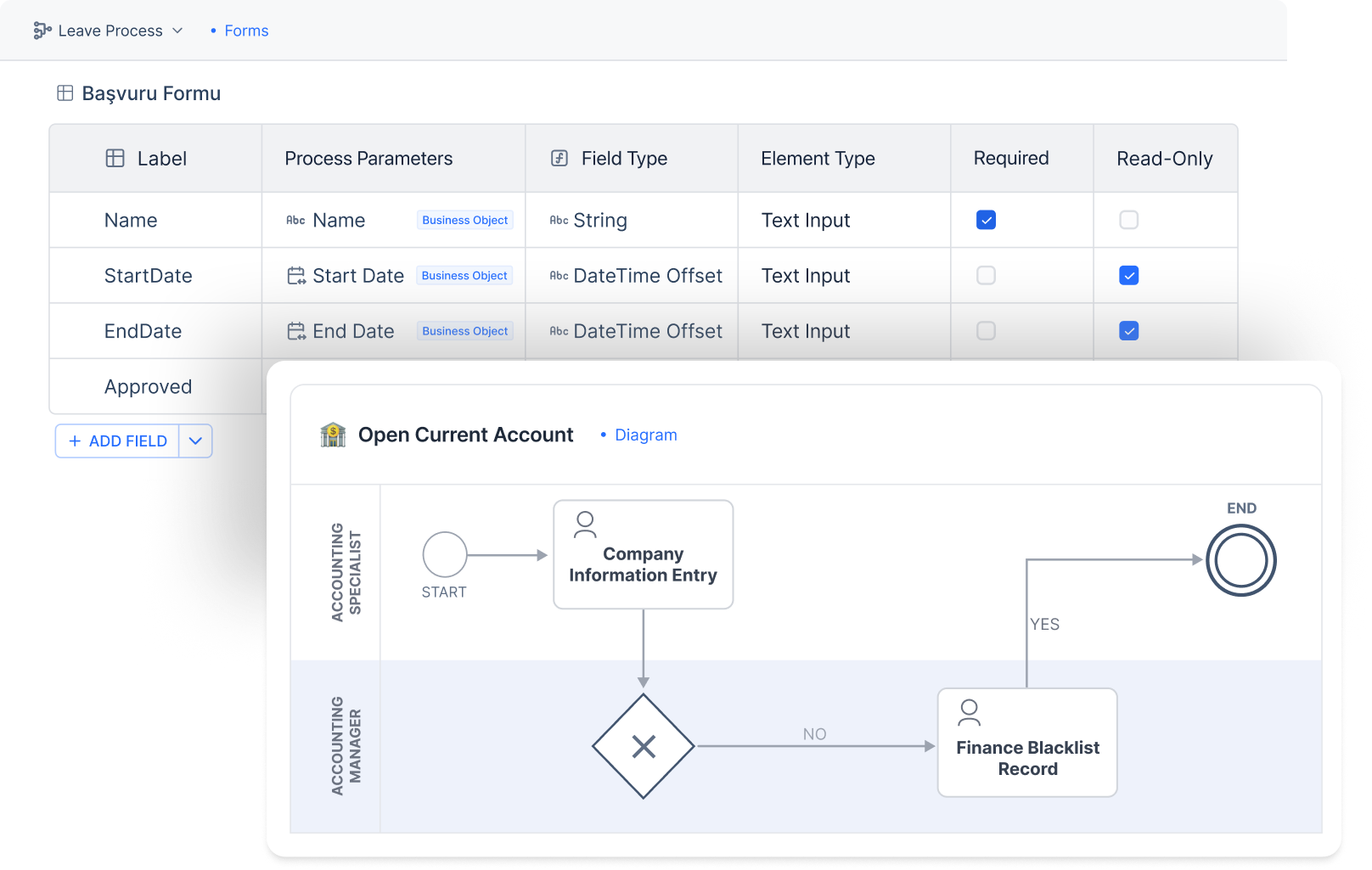



















The problem isn't modeling the process. It's that nobody builds the application afterwards.
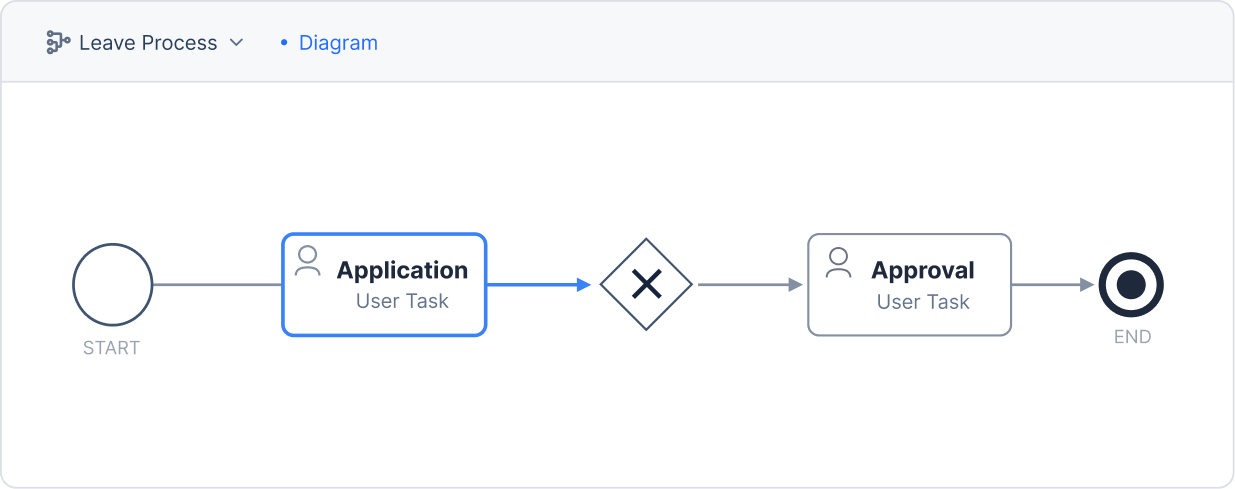
Draw the process in the BPMN 2.0 designer. Tasks, gateways, timers, subprocesses — in the standard notation your analyst already knows.
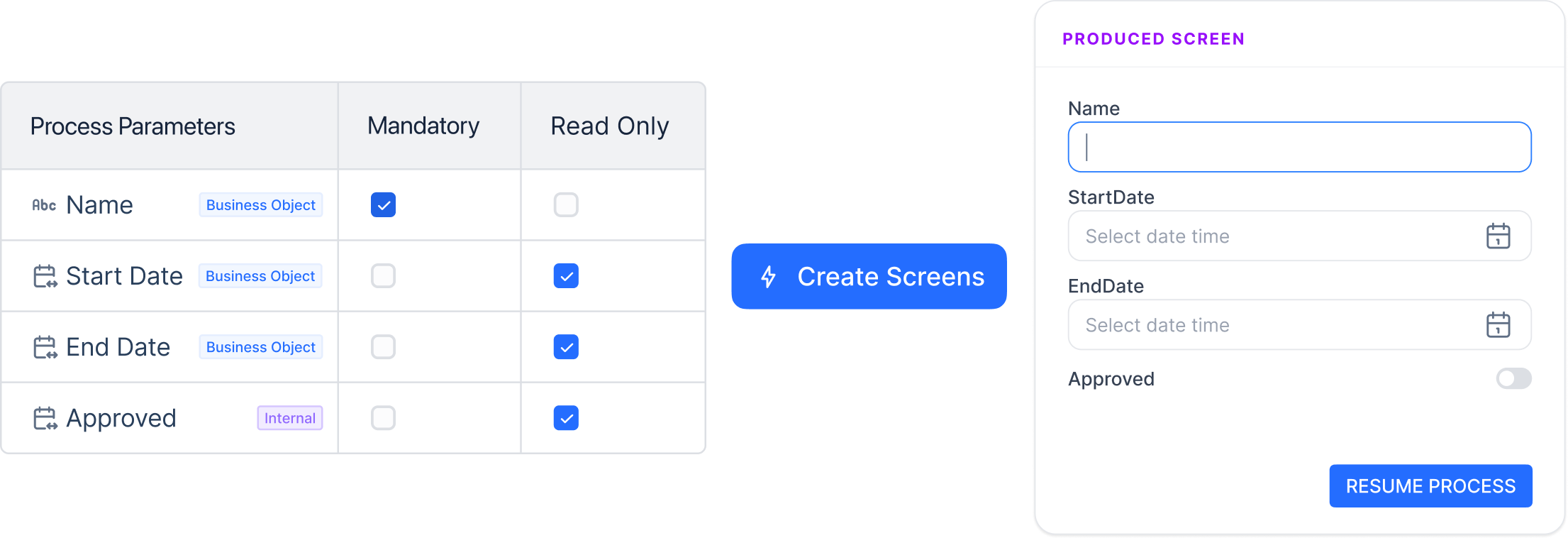
You define the process parameters in a few clicks: which field is required, which is read-only, which rule applies. Kuika builds every user screen from that definition.
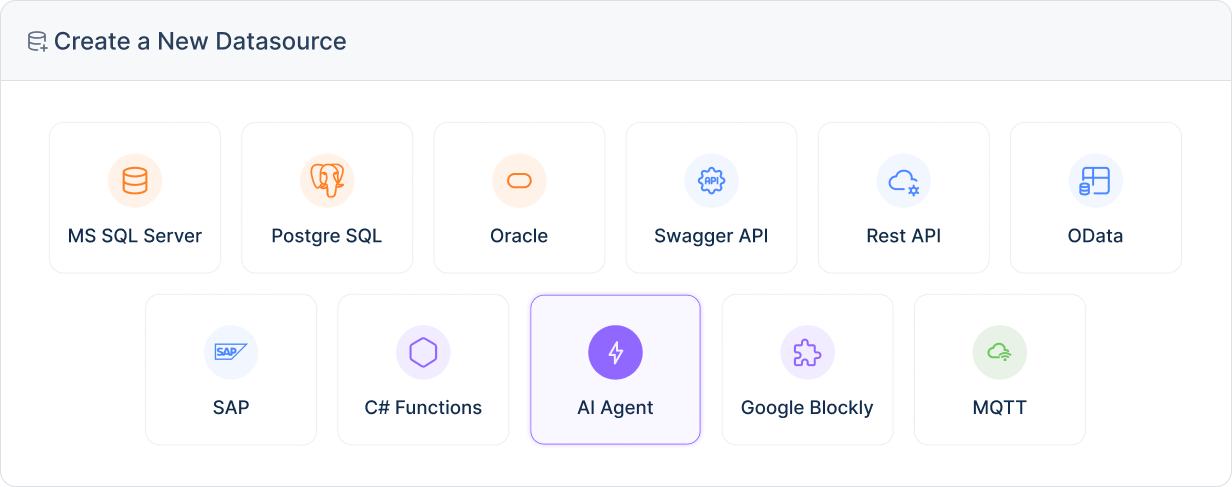
Add system actions to any step. Read from the ERP, write to the CRM, call an AI agent, send a notification. No code required.
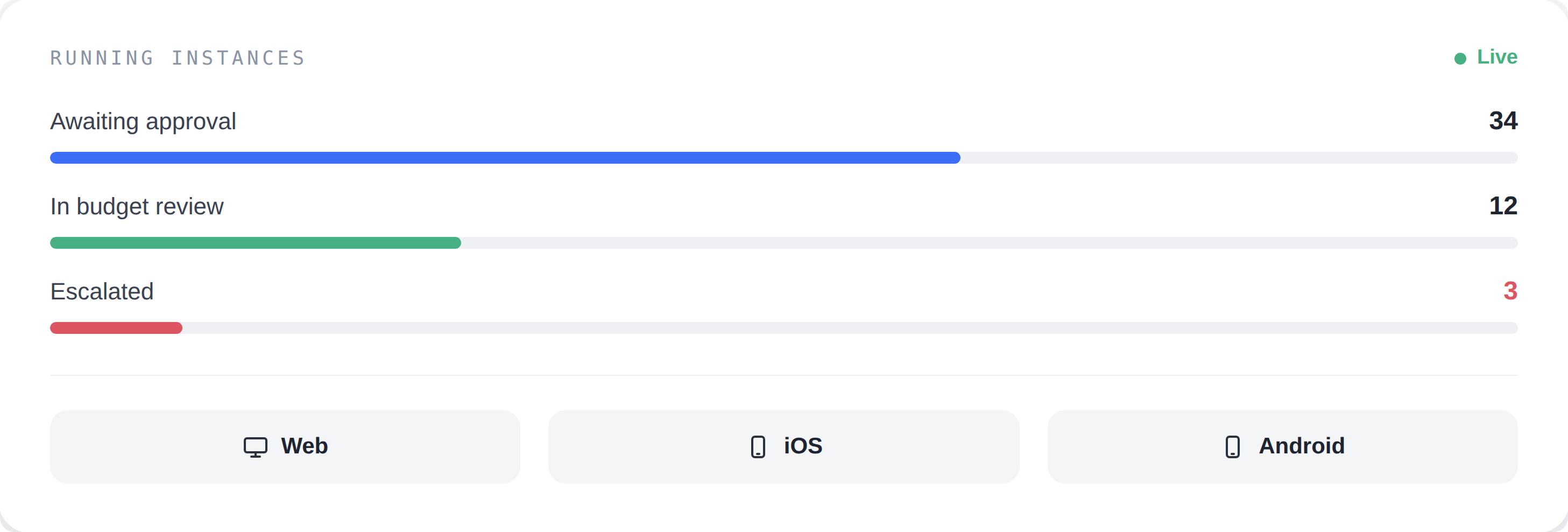
Publish your web app, then build the mobile version from the same process model and send it to the stores. Watch every running instance and update the process without stopping it.

Business analysts, developers and managers look at the same diagram and read the same thing. They work on the same process design at the same time.
We use a universal standard. Your processes stay transparent and portable.
Adoption accelerates, total cost of ownership goes down. An analyst who knows BPMN is productive on day one.
You gain enormous speed and one single enterprise design standard.
You can edit the generated screens whenever you want and build custom layouts that follow your corporate design guidelines.
A form is a submission screen. What Kuika generates is an application with lists, dashboards and detail screens.
Run text analysis at the start of a complaint process and route it by how angry the customer is. Angry cases go straight to a manager, routine ones take the standard path.

Hand a step to AI. Let it read the document, classify it, find the missing field and write the result to the next gateway.

Describe the workflow in plain language; Kuika builds the process, the screens and the data model. Your team picks it up from there and refines it.
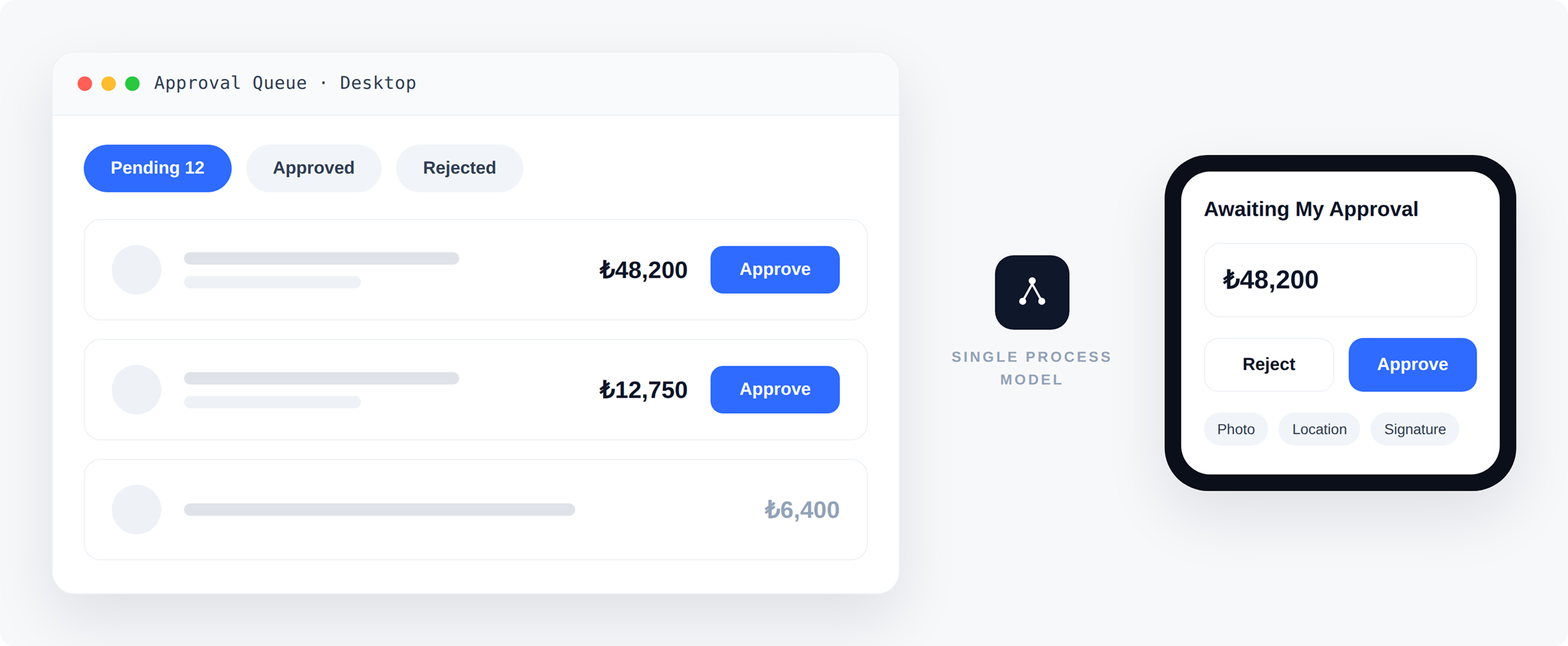

Approval screens are fully mobile-ready. The process doesn't stall while a manager is travelling.

Photo, location, signature and barcode fields work on site, on mobile.
Change the process and web and mobile update at the same time. No keeping two versions in sync.
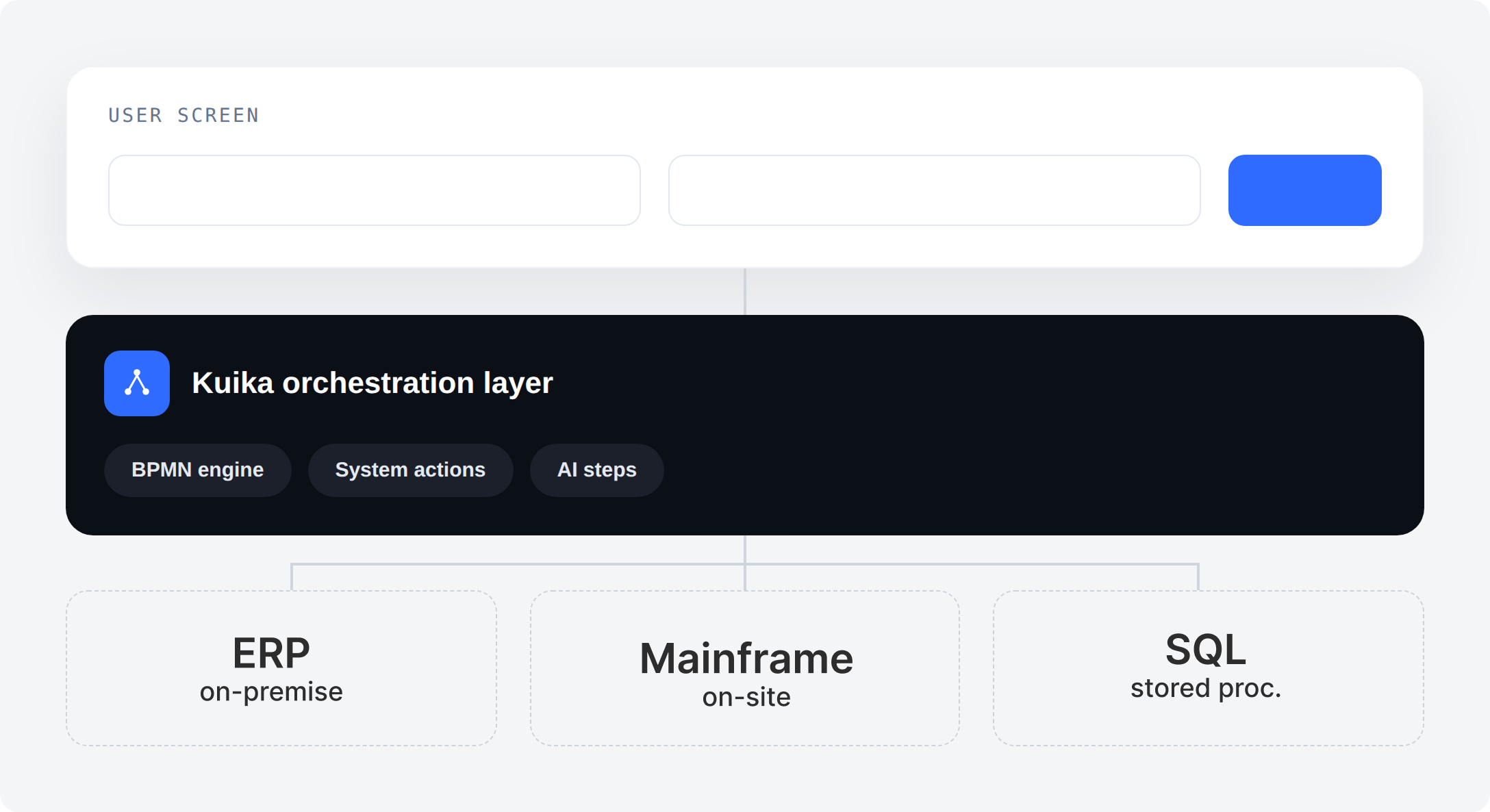

Your custom data types and third-party systems become first-class objects in the workflow. You bind a field to an ERP record exactly the way you bind it to a local one.

A record changes in one system and a process starts in another. Sync runs on events, not on overnight batch jobs.
Read and write. A workflow that can only read is a report.
One developer builds the IT Helpdesk app while another works on HR processes. They are independent micro apps.
Deliver every micro app to employees through a single Shell App and create a seamless super-app experience.
Real flexibility in deployment and maintenance. An update in one module doesn't affect the whole system.
You start with the first process, the second department adds its own module. You spread across the enterprise without one giant project.
Request, manager approval, HR notification, calendar sync. Mobile approval included.
Explore Kuika HR ›
Request, budget check, multi-level approval by amount, order creation in the ERP. Threshold logic lives in a gateway, not in an email chain.
Explore Kuika Procurement ›
AI sentiment analysis at intake routes angry cases straight to a manager, while routine ones continue on the standard path.

Equipment, accounts, training and the first-week checklist run as parallel branches. The process closes only when every branch does.

A finding logged on mobile in the field, an assigned root cause, corrective action tracked to closure, a complete audit trail.
Document capture, coding, policy check, approval by threshold, hand-off to finance. Exceptions escalate on a timer instead of waiting in a queue.

Map how the process actually runs today, including the exceptions nobody wrote down.
Express the steps, decisions, owners and rules as a diagram everyone reads the same way.
Hand repetitive steps to the system and leave the judgment calls to people.

Measure where instances wait, remove that constraint, repeat.
Business process automation is the part that replaces manual hand-offs with system actions. Workflow management is the broader discipline that decides what should be automated in the first place.